
7 SEO Fixes I Find in Almost Every Ecommerce Audit
Ordered by how fast they pay back. Five of the seven need no developer, and the last one might save you money instead of costing it.

Here is the uncomfortable part first: your store probably does not have an AI problem. It has boring problems.
This summer I reviewed 197 online stores across the UK, Australia and New Zealand. Among the top findings there was not a single mysterious Google penalty or algorithm curse. But 57 stores were missing meta descriptions, 52 were handing Google their filter URLs instead of their product pages, and 30 had title tags working against them.
And exactly 9 out of 197 had a real site speed problem.
Speed is the thing most owners spend money on first. It was one of the rarest problems on the list. That gap, between where the money goes and where the problems actually are, is what this post is about.
The belief that costs you the most
Most owners I talk to believe some version of this: “If my store had an SEO problem, it would be something deep and technical. Finding it takes an expert, fixing it takes a developer, and both take a budget I don’t have. So I’ll run ads instead.”
The 197 stores say otherwise. The problems I find most often sit in plain sight, in fields your shop platform already gives you, and most can be fixed in an afternoon by the same person who uploads the products.
To be fair about it: there are stores where none of this is the bottleneck. If you sell something nobody searches for, these fixes will not invent demand. And if you already pay someone who polishes this every month, today’s post is a checklist to hand them, not news. For everyone else, this list is where I would start. Every time.
In my audits I call these fixes Low Hanging Fruits: the fruit closest to the ground, where the least climbing feeds you first. (In a full audit the same name also covers keywords stranded just off page one of Google. That version needs Search Console and deserves its own post.)
Cards on the table
Finding these problems is what I do for a living. I audit online stores. The seven checks below are the opening moves of exactly what I would run on yours, written so you can do them yourself, with the real numbers from those 197 reviews next to each. Nothing here requires buying anything, from me or from anyone else.
Last Tuesday I gave you a 15-minute check that shows how much traffic you are losing to AI answers. Today is the practical sequel: what to fix first once you know you are leaking.
One note before the list. It is ordered by how fast each fix pays back for an owner working alone, not by how impressive it sounds. That is also why speed comes last.
Fix 1: Title tags that repeat themselves
The title tag is the blue line in your Google result and the label on the browser tab. For Google, it is the single strongest sentence on the page. In most stores, every page wears the same one.
The pattern I keep seeing: “Home | StoreName” on the homepage, “Products | StoreName” on every category, and product pages that lead with the brand instead of the words a customer would actually type.
Spot it in 60 seconds. In Google, type site: followed immediately by your own domain, with no space, and read the blue lines. If ten pages read almost the same, or every line starts with your store name, you found it.
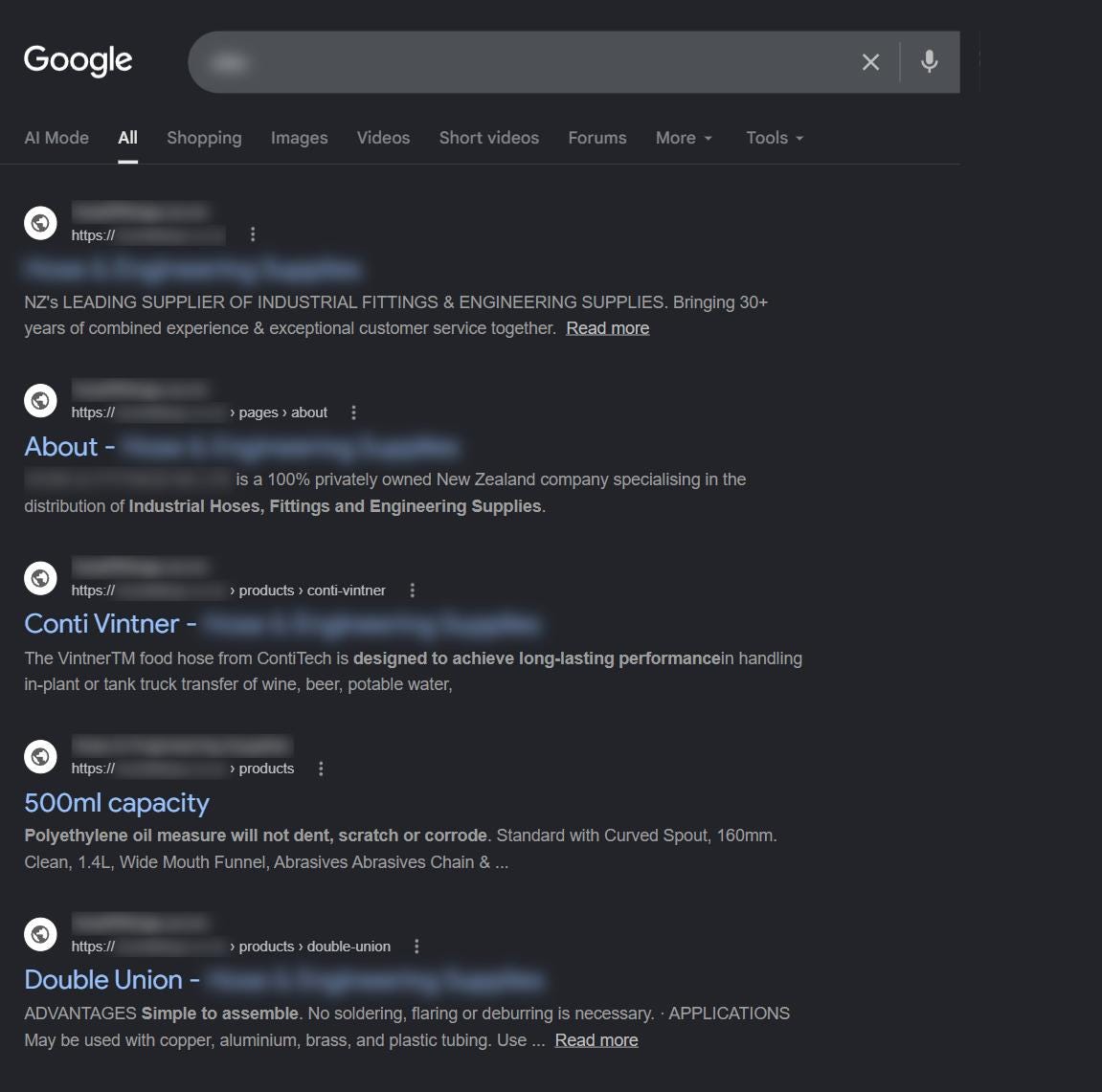
The fix. One page, one title. The words your customer searches for go at the start, your brand at the end, the whole thing around 55 characters (Google usually starts cutting titles off past that point, so treat 60 as the ceiling). “Merino Base Layers for Hiking | StoreName” beats “StoreName | Products” every day of the week. Your platform already has a field for this on every page: Shopify calls it the SEO title, WooCommerce shows it in the SEO plugin box under the editor.
Numbers and effort. 30 of the 197 stores had weak or repeated titles. Time: an afternoon for your 20 most important pages. Developer: no. Payback: among the fastest in SEO, because titles feed both rankings and clicks. In my experience the first movement shows in Search Console within a few weeks.
Fix 2: The ad you never wrote (missing meta descriptions)
The meta description is the grey text under your blue link. It does not directly rank you higher. It decides how many of the people who see you actually click you. It is ad copy, shown for free, to people already searching for what you sell.
57 of the 197 stores had none at all. When it is missing, Google improvises and grabs whatever text looks related, menu fragments and cookie notices included.
Spot it in 60 seconds. Same site: search. Read the grey text under your links. Is it a sentence a human wrote on purpose, or a random scrape of the page?
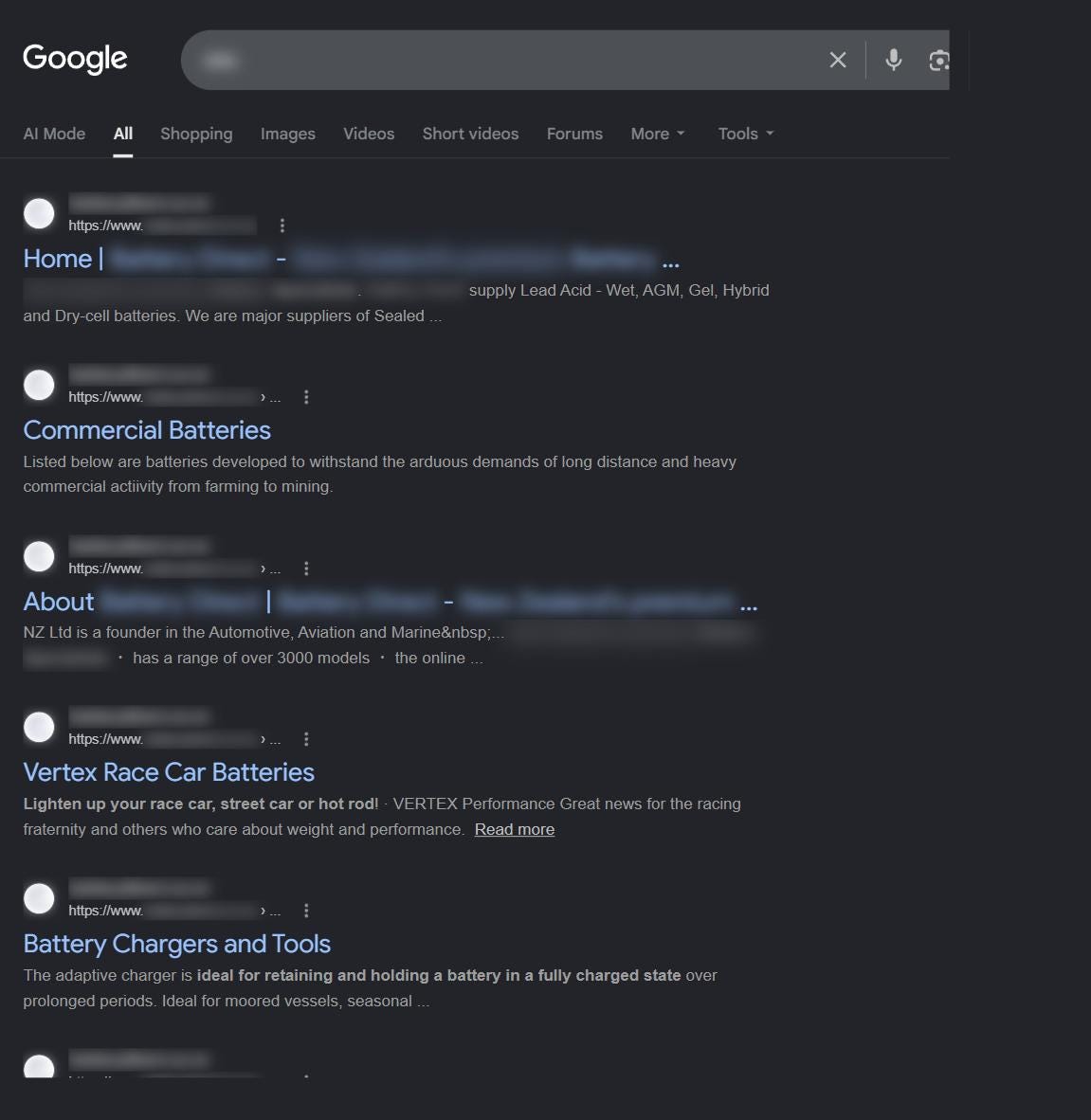
The fix. For your top 20 pages, write 2 to 3 sentences, up to about 155 characters: what is on the page, plus one concrete reason to pick you. Free returns. Ships tomorrow. 30 brands in stock. Sizes up to 5XL. Specifics beat adjectives; nobody clicks “high quality products at great prices”.
Numbers and effort. Missing in 57 of 197 stores, nearly one in three. Time: about two hours for 20 pages. Developer: no. Payback: clicks can move within days to weeks once Google refreshes your snippets, and you can watch CTR change page by page in Search Console.
CTR, click-through rate, deserves one plain sentence because it is the number this whole fix moves. It is the percentage of people who saw your link in the results and actually clicked it: if 100 people see your store and 4 click, your CTR is 4 percent. A better meta description raises that percentage directly, even while your position stays exactly the same. Same ranking, more visitors, which is why this fix pays back so fast.
Fix 3: H1 chaos
Every page should have exactly one main heading, the H1, and it should say what the page sells. Google treats it as the strongest signal on the page after the title tag. What I actually find: pages with no H1, pages with five of them, and category pages whose H1 proudly says “Shop”.
Spot it in 60 seconds. Open your top category page, right click, View page source, press Ctrl+F and type “h1”. Count the hits and read what sits inside them.
The fix. One H1 per page, keyword at the start: “Women’s Trail Running Shoes”, not “Our collection”. Everything else becomes H2 or H3. In most themes the H1 is simply the page or product name, so this is renaming, not coding. Page builders are the usual troublemakers; if yours wraps banners in H1 tags, that is a 15-minute theme setting, worst case one short developer ticket.
Where it goes. Two placement rules that most stores miss. First, on a phone your H1 should sit above the fold. Above the fold means the part of the page a visitor sees immediately, before scrolling at all; the term comes from newspapers, where whatever sat above the physical fold had to sell the paper on the stand. Second, the H1 should be the most prominent element on the page. When someone lands there, the first thing their eye catches should be the line that says what the page sells, not a banner, a slogan or a popup. Check it on your own phone: open your top category page and ask what you see first.
Numbers and effort. Time: an hour to check and rename your key pages. Developer: rarely. Payback: modest on its own but it compounds with fixes 1 and 2. Clean headings are also exactly what AI assistants quote, because they read structure, not design.
Fix 4: A homepage that points the wrong way (internal linking)
Your homepage is the strongest page you own, and every link on it passes some of that strength forward. Most homepages spend it on “About us”, Instagram and whatever is on sale this week, while the categories that pay the rent sit three clicks deep.
And the classic: a featured section showing 12 discounted products instead of the 12 bestsellers. That is pointing your biggest spotlight at your lowest margin.
Spot it in 60 seconds. Open your homepage and count the links to your three most profitable categories. Then count the links to everything else.
The fix. Link your money categories directly from the homepage, with the category name in the link text: “Merino base layers”, not “Shop now”. Feature bestsellers, not clearance. If you want the audit-grade version: add a prefooter, a tidy block of your key category links sitting just above the footer on every page. It is the cheapest structural upgrade I know.
Numbers and effort. Time: an afternoon in your theme editor. Developer: no. Payback: weeks, and it lifts exactly the pages that make you money.
Fix 5: Canonical errors (the technical one, worth it)
One in four stores I reviewed, 52 of 197, were feeding Google the wrong URLs: filter combinations, sort orders, page 7 of a category, sometimes thousands of variants competing with the real page. The canonical tag is one line of code that tells Google “this is the original, ignore the copies”. When it is missing or wrong, Google splits your strength across URL junk and spends its visit crawling garbage instead of your new products.
Spot it in 60 seconds. Run that same site: search on your own domain and look at the result count. If you sell 400 products and Google lists 12,000 pages, or you see URLs with ?sort= or ?color= in the results, this is you.
The fix, in plain terms. Every real page points a canonical at itself. Filter and sort URLs are set to noindex. Pagination has its own small rule: page 1 of a category stays index,follow, and every page after it (page 2, 3 and beyond) gets noindex,follow. In plain English, those deeper pages will not appear in Google’s results, but Google still follows them and picks up every product listed on them. Nothing in your catalog gets lost; Google just stops showing near-empty list pages instead of your real ones. In Shopify and the main WooCommerce SEO plugins most of this is settings, not code. And if this paragraph reads like a foreign language, this is the one fix where a developer’s hour is genuinely well spent. Hand them this paragraph as the ticket.
Numbers and effort. Found in 52 of 197 stores. Time: from 30 minutes of plugin settings to one developer ticket. Payback: slower than titles, weeks to a couple of months, but it raises the ceiling on everything else, because Google finally sees the store you actually built.
Fix 6: Invisible images (file names and alt text)
Google cannot look at a photo. It reads what you tell it about the photo, and IMG_4823.jpg with an empty alt field tells it nothing. Alt text, the short description in your image settings, feeds Google Images, shopping results and the AI assistants that increasingly describe products to shoppers. It is also what screen readers speak, so it is basic accessibility.
Spot it in 60 seconds. Open one of your bestsellers and check the image fields. File names like IMG_ and empty alt boxes mean this fix is yours.
The fix. Product name in the file name, a plain factual alt text (”merino base layer, navy, men’s”), images at least 1200 x 1200 pixels, compressed before upload (TinyPNG is free). Start with your 20 bestsellers, not the whole catalog.
Numbers and effort. Time: about an hour per 20 products. Developer: no. Payback: the slowest on this list, but it compounds and never expires.
Fix 7: Speed (the one you probably don’t need)
Now the finding that surprises everyone. Of the 197 stores, exactly 9 had a speed problem worth spending money on. Under 5 percent. Yet speed is the first thing owners buy: plugins, optimization packages, sometimes a full replatform.
The sequence that actually makes sense costs nothing. Open PageSpeed Insights, test your busiest category page, look at the mobile score. Then open your store on your own phone, on mobile data, not wifi. If the score is orange or better and the store feels fine in your hand, close the tab. Spend the money on fixes 1 to 6 instead.
If the score is deep red, rare does not mean harmless: for the 9 stores that had it, speed was a real and expensive problem. The most common cause in my reviews is oversized images, which fix 6 already handles. The second is JavaScript: popups, trackers, sliders and store apps each loading their own scripts before the page can settle. Your hosting is rarely the villain.
One warning for the red scenario. JavaScript cleanup is not a do-it-yourself fix. Untangling which scripts can go without breaking your checkout, your tracking or an app you rely on is delicate work, so if your store is genuinely slow and images are not the reason, hand the diagnosis and the fix to a professional. It is the one item on this list where I tell owners to keep their hands off.
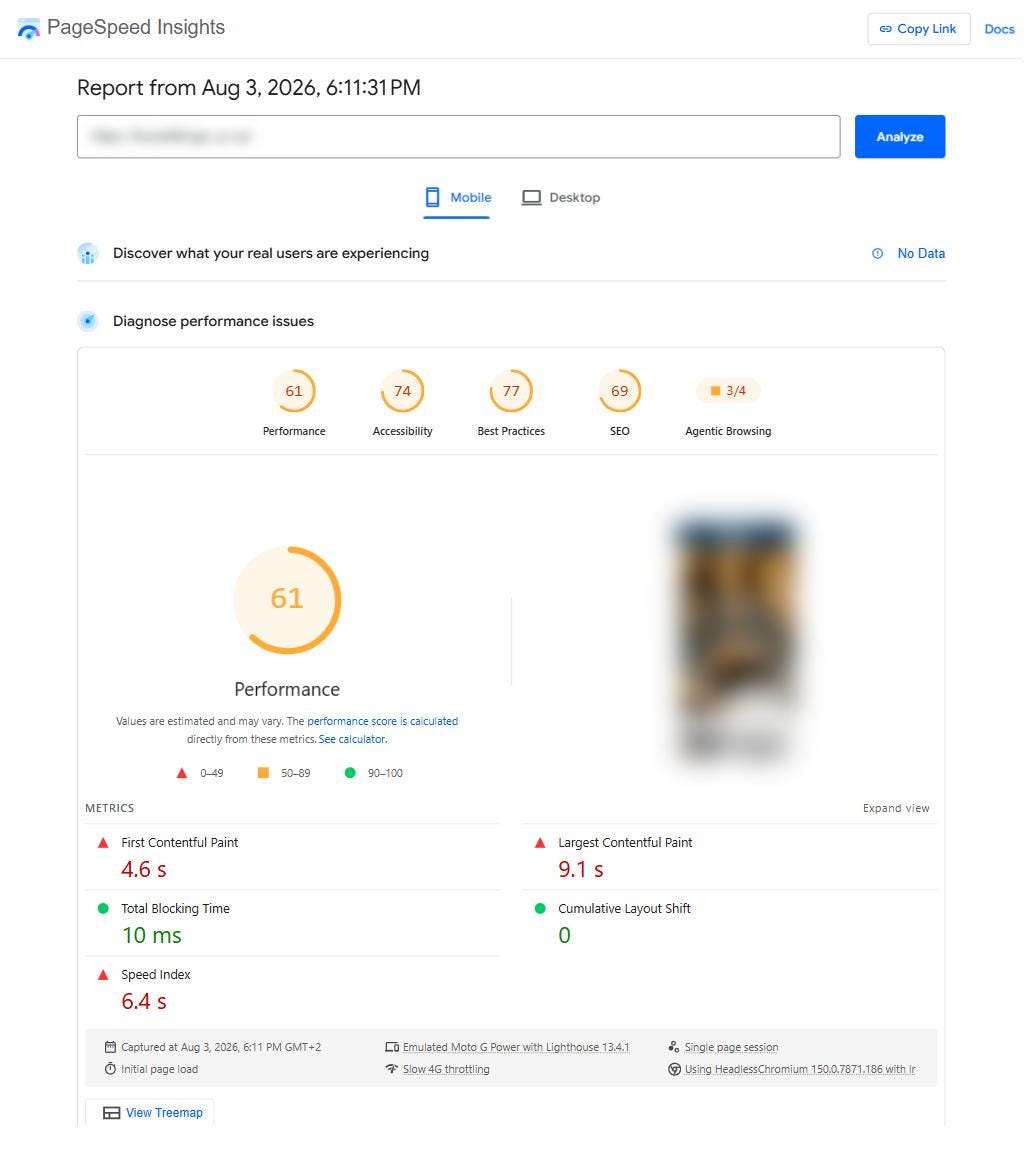
Numbers and effort. A real problem in 9 of 197 stores. Time: 10 minutes to measure. Developer: measure first; if the test comes back red, yes, a professional. Payback: usually the payback is the money you did not spend.
The whole list on one screen
Title tags. An afternoon. No developer. Fastest payback: rankings and clicks.
Meta descriptions. Two hours. No developer. Days to weeks: more clicks.
H1 cleanup. One hour. Developer rarely. Compounds with 1 and 2.
Internal links. An afternoon. No developer. Weeks: lifts your money pages.
Canonicals. Settings, or one developer ticket. Biggest ceiling raise.
Images and alt text. One hour per 20 products. No developer. Slow but permanent.
Speed. Ten minutes to measure, then decide. Usually the payback is the money you save.
One honest footnote on order. In a full audit I do not start with titles. I start with whether Google can enter the store at all and whether it is indexing the right pages (robots, redirects, canonicals), because a store Google cannot read properly gets nothing from a better headline. But sorted by payback for an owner working alone, the list above is the order I would work through. And it is the same seven I keep finding, store after store.
Quick questions, quick answers
Do I need a developer for any of this?
For five of the seven, no. The fields are already in your shop platform. Canonicals sometimes need one ticket, H1 occasionally needs a theme tweak. Speed needs nobody until you measure; if the test comes back red, that is professional territory, not a weekend project.
How fast will I see results?
In my experience: title and description changes start showing in Search Console within days to a few weeks, because Google has to recrawl the pages first. Structural fixes like canonicals and internal links take weeks to a couple of months. I will not promise numbers, and you should be suspicious of anyone who does. What I can say is that I have never seen a store fix all seven and regret it.
What if I do all seven and nothing moves?
Then you have learned something valuable: your bottleneck is not the basics. It is demand, content or competition, and you can now invest there without wondering whether a missing meta description is quietly taxing every click. Ruling things out is half of diagnostics.
Where does AI search fit into this?
The same fixes feed it. Assistants like ChatGPT, Gemini and Perplexity build answers from pages they can read and quote: clear titles, one honest heading, clean URLs. The stores that show up in AI answers are, with few exceptions, the stores that did this homework. Last week’s 15-minute check tells you where you stand; these seven fixes are how you move.
Want me to find your store’s Low Hanging Fruits?
Do the checks yourself this week. That is what they are for.
But if you would rather have a second pair of eyes first, I do a free version of exactly this: send me your store through the button below and I will record a short video, about five minutes, showing which of the seven is costing you most and the one fix I would start with. No call, no obligation, plain language.
If this post was useful, forward it to one store owner who is about to buy a speed package. You might save them real money.
Neven Lovreković
Ecommerce SEO Strategist · Founder, Lobit
neven-lovrekovic.com · LinkedIn
P.S. If you only remember one thing: the expensive problems are almost never the ones you are looking at. Before any money leaves your account for speed, spend one afternoon on titles and meta descriptions. The 197 stores are unanimous about where to start.